


Nuovi driver ATI Catalyst 2.5

ATI rilascia un nuovo set di driver ufficiale Catalyst per schede video basate su chip Radeon
di Paolo Corsini pubblicata il 10 Dicembre 2002, alle 10:51 nel canale ProgrammiATIRadeonAMD
ATI ha ufficialmente rilasciato un nuovo set di driver Catalyst, versione 2.5, per le proprie schede video basate su chip Radeon. La nuova versione introduce alcune ottimizzazioni dal lato prestazionale oltre a risolvere alcuni bug software. Oltre ai driver, per sistemi operativi Windows 2000-XP e Windows Millennium-9x, è stato rilasciato il nuovo pannello di controllo, dal peso di circa 4,6 Mbytes.
ATi Catalyst 2.5 Windows 2000 & Windows XP Driver
v6.13.10.6218
Dimensione: 5.43Mb
Download
Note sui driver:
- The release notes can be found in a .pdf file
- Using the CATALYST 02.5-driver and control panel users will have greater control over their Wait for Vertical Sync options
- The Direct 3D control panel allows users to choose three Wait for Vertical Sync options: Always Off, Application Preference, and Always On
- The OpenGL control panel allows users to choose four Wait for Vertical Sync options: Always Off, Application Preference (Default Off), Application Preference (Default On), and Always On
- The RADEON™ 9700, RADEON™9500, RADEON™ 9000, and RADEON™ 8500 series no longer experience slow downs when moving WINAMP windows around the display area
- The system display panel no longer shows the incorrect ATI driver version after installing a secondary ATI card when using a multi monitor configuration
- Running the 3DMark2001 Lobby test on RADEON™ 7000 card no longer suffers from display corruption (specifically found in Max Payne's glasses)
- Display corruption is no longer found when playing the game Revolt
- Running multiple 3DLab demos under Windows 2000 or XP when using a RADEON™ 9000 Pro will no longer result in a system hang
ATi Catalyst 2.5 Windows Millennium & Windows 9x Driver
v4.13.01.9072
Dimensione: 6.11Mb
Download
Note sui driver:
- The release notes can be found in a .pdf file
- Using the CATALYST 02.5-driver and control panel users will have greater control over their Wait for Vertical Sync options
- The Direct 3D control panel allows users to choose three Wait for Vertical Sync options: Always Off, Application Preference, and Always On
- The OpenGL control panel allows users to choose four Wait for Vertical Sync options: Always Off, Application Preference (Default Off), Application Preference (Default On), and Always On
- The RADEON™ 9700, RADEON™9500, RADEON™ 9000, and RADEON™ 8500 series no longer experience slow downs when moving WINAMP windows around the display area
- The system display panel no longer shows the incorrect ATI driver version after installing a secondary ATI card when using a multi monitor configuration
- Running the 3DMark2001 Lobby test on RADEON™ 7000 card no longer suffers from display corruption (specifically found in Max Payne's glasses)
- Display corruption is no longer found when playing the game Revolt
- Running multiple 3DLab demos under Windows 2000 or XP when using a RADEON™ 9000 Pro will no longer result in a system hang
ATi Catalyst 2.5 Control Panel
v6.14.10.4000
Dimensione: 4.60Mb
Download
Note sui driver:
- The release notes can be found in a .pdf file
- Using the CATALYST 02.5-driver and control panel users will have greater control over their Wait for Vertical Sync options
- The Direct 3D control panel allows users to choose three Wait for Vertical Sync options: Always Off, Application Preference, and Always On
- The OpenGL control panel allows users to choose four Wait for Vertical Sync options: Always Off, Application Preference (Default Off), Application Preference (Default On), and Always On


 Motorola edge 70 Fusion FIFA World Cup 26 Edition: un ottimo smartphone per i fan del calcio
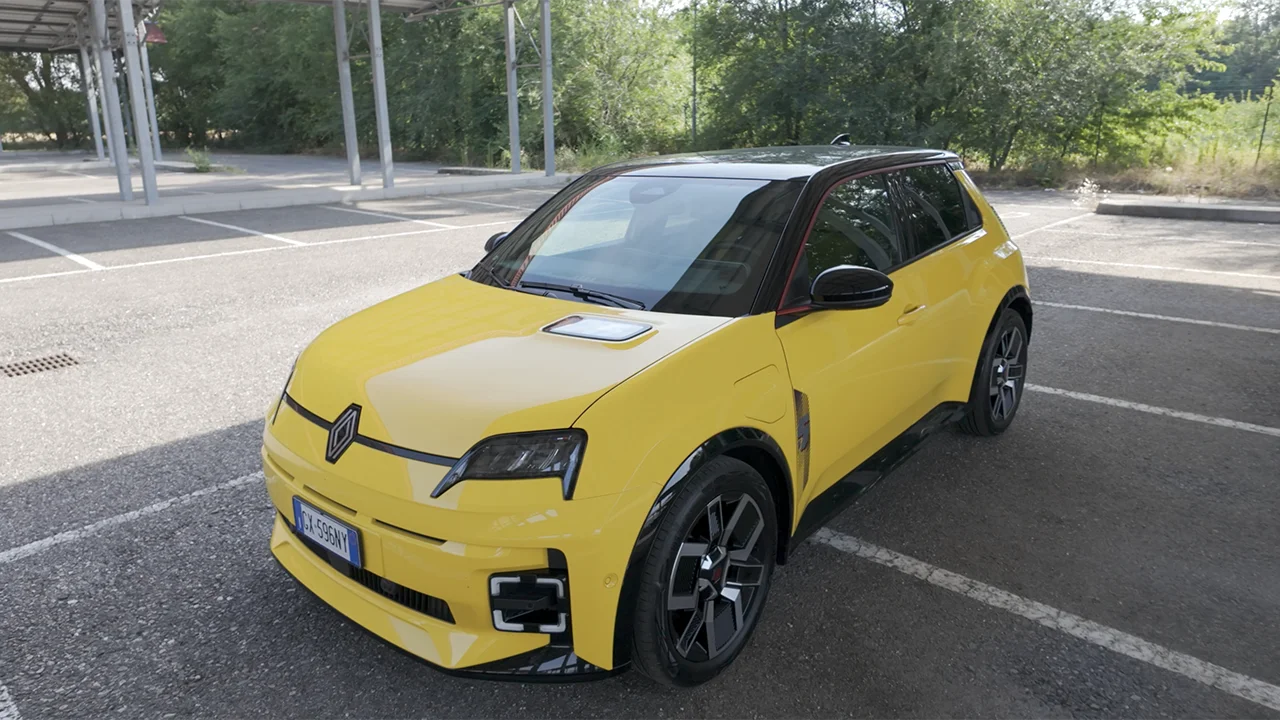
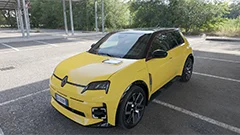 Renault 5 elettrica al giudizio definitivo: solo stupore iniziale o premi meritati?
 HONOR CHOICE Projector Air Pro: piccolo, portatile e con Netflix
 Apple lavora al copia e incolla tra iPhone e PC Windows: l'UE richiede maggiore interoperabilità
 Oltre mille firme non bastano: Wikimedia dice no al sindacato interno
 L'intelligenza artificiale è troppo costosa per rimpiazzare gli esseri umani: c'è chi va controcorrente
 OpenAI pubblica gli iMessage e ribalta l'accusa di Apple sui file riservati
 Horizon3: vale 2 miliardi l'IA che attacca le aziende... per difenderle
 HyperX Alloy Rise 75 Wireless a 78,20€: tastiera meccanica hot-swap con 80 ore di autonomia batte la concorrenza gaming
 Mercato auto Italia: luglio cresce del 3,9%, frenano le elettriche senza incentivi
 Sembravano innocue, ma vendevano la connessione a estranei: Samsung cancella queste app dalle Smart TV
 HBF, la nuova memoria tra HBM e SSD: pubblicate le prime specifiche tecniche aperte
 TP-Link RE700X a 59,99€: ripetitore Wi-Fi 6 AX3000 con OneMesh che azzera i buchi di segnale in casa
 Malware senza privilegi entra negli account protetti da passkey
 Samsung sceglierà ancora MediaTek per il chip dei suoi tablet top di gamma: la conferma da un benchmark
 ASUS ProArt, oggi in sconto il noto monitor professionale in versione 31,5" 4K, prezzo più basso di sempre
 Niente chip né fotocamere: DuckDuckGo provoca e risponde alla moda degli smart glasses












39 Commenti
Gli autori dei commenti, e non la redazione, sono responsabili dei contenuti da loro inseriti - infoavete riportato due volte le stesse NOTE SUI DRIVER
ciao
a
es. 100hz massimo farai 100fps
è + gradevole alla vista in genere viene disabilitato solo nei benk
li hanno riportati 2 volte perchè uno è per WIN XP 2K e l'altro per ME 9X
visto che nn è detto che abbiano gli stessi baki hanno tenuto a precisare che hanno corretto le medesime cose......
cmq scarico e provo
BYEZZZZZZZZZZZZZ
errore mio!!!
grazie Overclock
stasera li provo anche io sulla mia 9700pro, ovviamente condividiamo tutti i risultati
è curioso vedere come Shappire tiri fuori i nuovi driver con qualche giorno d'anticipo rispetto la stessa ATI!!!
fate questa prova:lasciate il pc acceso 2-3 giorni in idle poi fate partire il 3dmark2001 o un video...poi spegnete e riaccendete guardate se vi va tutto ok...a me no...mi diventa tutta la grafica a frattali..poi basta reinstallare i driver e tutti rifunziona bene:sta hercules e' proprio un cesso!!!era meglio una bella gigabyte!
Devi effettuare il login per poter commentare
Se non sei ancora registrato, puoi farlo attraverso questo form.
Se sei già registrato e loggato nel sito, puoi inserire il tuo commento.
Si tenga presente quanto letto nel regolamento, nel rispetto del "quieto vivere".