|
|
|
|
 |
 |
| Data |
Venerdì 07 Agosto 2009 |
| Versione |
0.99.5.27 |
| S.O. |
Windows |
| Dimensioni |
171 Kbytes |
| Licenza |
Freeware |
| Produttore |
www.alcpu.com |
| Download |
36747 volte |
 |
|
|
 |
| |
|
 |
Utility che permette di monitorare la temperatura di funzionamento di ciascun Core
nelle cpu Intel della serie Core, oltre che in quelle AMD Athlon e Phenom.
Di seguito le note fornite a corredo di questa nuova versione:
- Fix: Incorrect clock speeds reported on some systems.
- Fix: At startup Core Temp shows 0 (?) or 21 (?) on AMD K8 series.
- Fix: Turion MK series recognition was wrong.
- Fix: Properly detect Atom and Core i7 engineering samples.
- Fix: Tri-Core AMD CPUs incorrectly shown as having only 2 cores and 2 threads
in 64bit Core Temp binary.
- Fix: System tray text was off center.
- Fix: Penryn (mobile Core 2) processors reported as having 85C TjMax instead of
90C.
- Fix: Settings window would open centered, and sometimes out of the desktop
area.
- Fix: System tray icon very small in Windows 2000/XP/2003.
- Fix: AMD Athlon X2 4x50e series detected as 3x50e.
- Fix: Using a negative offset on AMD systems results in "42949672xx°C" being
displayed.
- Fix: Add support for Mobile Athlon 64 X2 TK-xx series and Turion 64 MK-xx
series.
- Fix: Workaround added for when Core Temp fails to find supported CPUs on
Phenom based systems.
- Fix: PROCHOT signal from Intel CPUs was not picked up correctly.
- Fix: Core Temp would start out of the desktop area, and the main Window
couldn't be seen/accessed.
- Fix: False overheating warning on AMD systems.
- Fix: False readings of over 200C° on AMD systems.
- Fix: High/low temperatures would be reversed when "Show distance to TjMax" was
enabled.
- Fix: Clicking "Defaults" button in settings would enable logging when it
should be disabled by default.
- Fix: 23xx and 83xx series AMD Opterons recognized as 83xx and 23xx
respectively.
- Fix: System tray icons appear incorrectly on AMD K10 and newer CPUs.
- Fix: "Show highest temp of each CPU" systemtray icon configuration sometimes
reports duplicate readings.
- Fix: G15 applet did not work after resuming from Sleep/Suspend.
- Add: Completely new code for processor speed detection.

- Add: A comprehensive processor information window (F3 or Tools --> System
information).
- Add: Thermal protection mechanism. (Look at Options menu, changed from
0.99.5.20 beta)
- Add: Support for the latest AMD and Intel CPUs.
- Add: Mini mode for GUI. (Double click anywhere to switch between modes)
- Add: Per core temperature offset adjustment. (Look at Options menu)
- Add: Screenshots are now taken in the lossless but very compact PNG format.
- Add: User defined text colors for main Window. (Options --> Settings)
- Add: Show high/low temperatures. (Press F6 or the Tools menu to reset values)
- Add: On/Off switch for G15 applet in Tools menu.
- Add: Running several instances of Core Temp is now possible (enable in
Settings).
- Change: Temp turns Orange when temperature is over TControl, and Red when CPU
is thottling/critical.
- Change: Reorganized menu.
- Change: TjMax for mobile Atom processors changed to 90C.
- Change: "Lion" codename for AMD Turion was changed to "Griffin".
- Change: Completely dropped support for older Windows NT OS, Windows XP or up
is required.
(For Windows 2000: download GDIPlus.dll here http://www.dll-files.com/dllindex/dll-files.shtml?gdiplus)
|
 |
| |
| |
|
 |
| Cpu-Z |
 |
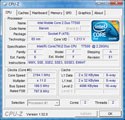
Software che fornisce indicazioni circa la propria cpu. I parametri forniti, oltre a modello, produttore e package, riguardano le frequenze di clock, i moltiplicatori e la cache. |
 |
| Core Temp 32bit |
 |
Utility che permette di monitorare la temperatura di funzionamento di ciascun Core nelle cpu Intel della serie Core, oltre che in quelle AMD Athlon e Phenom. |
 |
| CPUCooL |
 |
CPUCool è un software per il monitoraggio del processore, con varie funzionalità di hardware monitoring |
 |
| CrystalCPUID |
 |
Utility che permette di visualizzare i principali parametri di funzionamento del proprio processore. |
 |
| Intel Processor Identification Utility |
 |
Utility che permette di configurare correttamente quale processore Intel sia utilizzato nel proprio sistema, e se questo stia operando secondo le frequenze di specifica. |
 |
| Real Temp |
 |
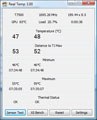
RealTemp permette di monitorare le temperature di funzionamento dei processori Intel basati su architettura single, dual e quad core. |
 |
| AMD cpu Driver WHQL |
 |
Utility che permette l'ottimale riconoscimento da parte del sistema operativo dei processori AMD Athlon 64, Sempron e Opteron. |
 |
| AMD Athlon 64/FX Dual-Core Optimizer |
 |
Utility che permette di migliorare le prestazioni velocistiche delle architetture Athlon 64 X2 e Athlon 64 FX dual core, in abbinamento ad alcuni giochi 3D. |
 |
| OCCT Perestroika |
 |
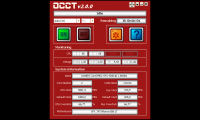
OCCT, OverClock Checking Tool, è una utility che permette di mettere sotto stress in sequenza il proprio processore così da valutarne la stabilità operativa in condizioni di overclock. |
 |
| AMD CPUInfo 2006 |
 |
Programma che permette di verificare la frequenza di clock del proprio procesore AMD, oltre che segnalare le informazioni specifiche sui parametri del processori e sulla connessione Hypertransport. |
 |
| |
|
 |
| La velocità di download dei files è limitata per un numero massimo di connessioni contemporanee al server ftp. Se nel tentativo di scaricare un software il browser dovesse rispondere che il file non è disponibile, questo vuol dire non che il file non sia presente sul server ma semplicemente che il numero di connessioni massime ammesse è stato superato. Per poter scaricare il file è pertanto necessario riprovare più tardi.
La scelta di limitare la banda in download e il numero di connessioni permette di meglio distribuire la banda complessiva a disposizione tra gli utenti, facendo in modo che tutti possano comunque scaricare dal sito anche se non a banda piena.
|
 |
| |
|
|
 |
|
|
|
| Legali - Privacy - Pubblicità - Email Redazione - Supporta - Awards - Redazione - Storia |
 |
| |
E' vietata la riproduzione, anche solo in parte, di contenuti e grafica. Copyright 1997 - 2010 - Hardware Upgrade S.r.l. P.iva: 02560740124
Hardware Upgrade è testata giornalistica registrata presso il tribunale di Varese, n. 879 del 30/07/2005- Iscrizione ROC n° 13366 - Info
L'editore non si assume nessuna responsabilità nel caso di errori eventualmente contenuti negli articoli pubblicati.
Per eventuali segnalazioni, inviare una mail all'indirizzo redazione@hwupgrade.it |
 |
|
 |
|  |
 |