Torna indietro   Hardware Upgrade Forum > Networking e sicurezza > Networking > Guide e thread ufficiali

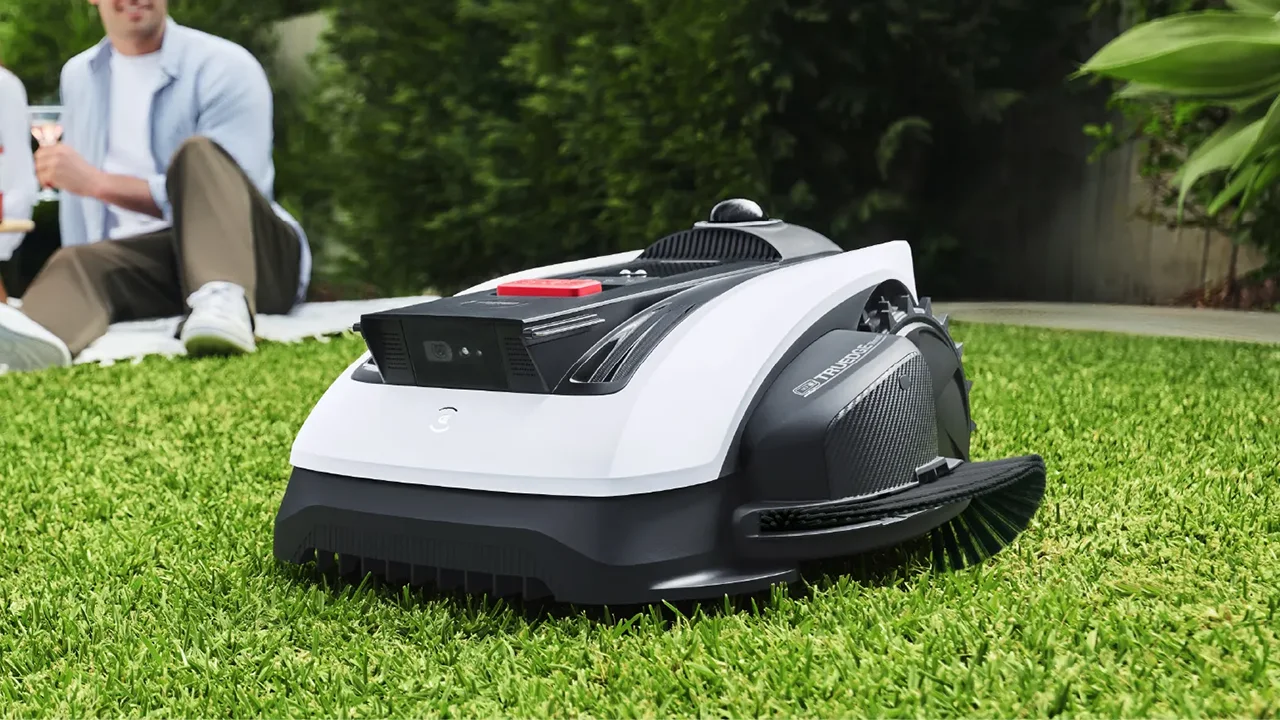
Ecovacs Goat O1200 LiDAR Pro: la prova del robot tagliaerba con tagliabordi integrato
Nuova frontiera per i robot tagliaerba, con Ecovacs GOAT O1200 LiDAR Pro che riconosce l'ambiente in maniera perfetta, grazie a due sensori LiDAR, e dopo la falciatura può anche rifinire il bordo con il tagliabordi a filo integrato
Recensione Samsung Galaxy S26+: sfida l'Ultra, ma ha senso di esistere?
Equilibrio e potenza definiscono il Samsung Galaxy S26+, un flagship che sfida la variante Ultra e la fascia alta del mercato con il primo processore mobile a 2nm. Pur mantenendo l'hardware fotografico precedente, lo smartphone brilla per un display QHD+ da 6,7 pollici d'eccellenza, privo però del trattamento antiriflesso dell'Ultra, e per prestazioni molto elevate. Completano il quadro la ricarica wireless a 20W e, soprattutto, un supporto software settennale
Zeekr X e 7X provate: prezzi, autonomia fino a 615 km e ricarica in 13 minuti
Zeekr sbarca ufficialmente in Italia con tre modelli elettrici premium, X, 7X e 001, distribuiti da Jameel Motors su una rete di 52 punti vendita già attivi. La Zeekr X parte da 39.900 euro, la 7X da 54.100: piattaforma a 800V, chip Snapdragon di ultima generazione, ricarica ultraveloce e un'autonomia dichiarata fino a 615 km WLTP. Le prime consegne sono previste a metà aprile
Tutti gli articoli Tutte le news

Vai al Forum
Rispondi
 
Strumenti
Old 03-09-2025, 15:27   #1461
JitterPing
Member
 
Iscritto dal: Mar 2018
Messaggi: 47
Domanda per i più "smanettoni" riguardo il tema VPN.

Dato che è una delle caratteristiche offerte dal prodotto, a suo tempo avevo provato per curiosità a configurare un paio di connessioni WireGuard, una come "rete" (da far sfruttare al router) e una come "dispositivi" (per far connettere il device al router da remoto): risultato, funzionava tutto come previsto.
Una volta configurate ero tuttavia impossibilitato ad aggiungerne altre (come rete) perchè "esiste già una coppia di chiavi".
Con questo ultimo rilascio della versione 8.20 avevo inteso che questo ostacolo fosse stato sistemato, ma così non è: ho provato nuovamente ma è impossibile inserire una nuova configurazione di rete se prima non si cancellano tutte quelle esistenti.
E' così anche per voi? Oppure cosa mi sono perso?

Grazie a tutti in anticipo!
JitterPing è offline   Rispondi citando il messaggio o parte di esso
Old 13-12-2025, 16:27   #1462
iLARiO1987
Member
 
Iscritto dal: Sep 2012
Messaggi: 56
Disponibile nuova Labor 8.24
fritzbox-7590AX-labor-127390.zip
Quote:
History of New Functions and Improvements in FRITZ!OS 8.24
------------------------------------------------------------
------------------------------------------------------------
# Improvements of FRITZ!OS 8.24 within FRITZ!Labor


# Additional Improvements in FRITZ!OS 8.24-127390

## Internet:
- **Improved** Better interoperability with newer browser versions
- **Improved** Detailed rendering of fallback protection in Online Monitor
- **Improved** Operation of schedules in the parental controls reworked for small displays (smartphones, tablets)
- **Improved** Support for fallback protection also for primary internet connections with a fixed IP configuration
- **Improved** Support of IPv6 configuration for fallback protection
- **Fixed** IPv6 addresses were not displayed in full in the overview of WireGuard® connections
- **Fixed** Internet access (remote access) to the FRITZ!Box could be configured only while the FRITZ!Box was connected to the internet
- **Fixed** The "Fixed bandwidth reservation for the home network" option did not always work

## Home Network:
- **Fixed** In special scenarios it was possible for the IP address 192.168.178.1 to be displayed for an extender in the home network instead of its own address
- **Fixed** Names of home network devices were occasionally assigned incorrectly
- **Fixed** Under some circumstances active devices with static IP addresses were displayed as inactive and vice versa

## System:
- **Fixed** Under "Network Connections" in the FRITZ!OS interface, "connected with FRITZ!Repeater" was sometimes shown twice

------------------------------------------------------------
iLARiO1987 è offline   Rispondi citando il messaggio o parte di esso
Old 14-12-2025, 10:28   #1463
Bovirus
Senior Member
 
L'Avatar di Bovirus
 
Iscritto dal: Nov 2003
Città: Milano
Messaggi: 31508
@iLARiO1987

E' indicata nel primo post.
Bovirus è offline   Rispondi citando il messaggio o parte di esso
Old 20-02-2026, 08:51   #1464
LacioDrom83
Senior Member
 
L'Avatar di LacioDrom83
 
Iscritto dal: Jul 2005
Messaggi: 1163
Ciao a tutti, ultimamente (circa un mesetto) sul mio FRITZBox7590AX vers FRITZ!OS: 8.02, sto riscontrando un piccola anomalia.
Se avviene un piccolo backout di corrente al ritorno si connette correttamente, se invece effettuo un riavvio tramite interfaccia si aggancia il segnale portante ma non si connette alla rete internet, mi trovo quindi costretto a scollegare manualmente l alimentazione per qualche secondo e così poi si riconnette correttamente.
Pensate possa trattarsi di un problema software?

Grazie in anticipo per eventuali suggerimenti.
__________________
LacioDrom Intel i9 9900KF - Asus Z390PRO GAMING - Corsair 2x32GB DDR4 3600Mhz - Samsung SSD870 - Nvidia 3008Ti - Antec P-182 black - Corsair HX850w- Dell U2410 + Dell U2415 - Logitech MXM3s - APC Back UPS Pro 1500 - Wacom BambooFunA5
LacioDrom83 è offline   Rispondi citando il messaggio o parte di esso
Old 20-02-2026, 08:54   #1465
Bovirus
Senior Member
 
L'Avatar di Bovirus
 
Iscritto dal: Nov 2003
Città: Milano
Messaggi: 31508
@LacioDrom83

Il firmware più recente è la 8.20.
Prova ad aggiornare e verificare.
Poi fai un backup della configurazione, ripristino e verifica se hai gli stessi problemi.
Bovirus è offline   Rispondi citando il messaggio o parte di esso
Old 20-02-2026, 09:02   #1466
LacioDrom83
Senior Member
 
L'Avatar di LacioDrom83
 
Iscritto dal: Jul 2005
Messaggi: 1163
Quote:
Originariamente inviato da Bovirus Guarda i messaggi
@LacioDrom83

Il firmware più recente è la 8.20.
Prova ad aggiornare e verificare.
Poi fai un backup della configurazione, ripristino e verifica se hai gli stessi problemi.
Grazie per la pronta risposta.
Visto che non aggiorno da tanto, non ricordo se aggiornando perdo tutte le impostazioni personalizzate o se mantiene.
__________________
LacioDrom Intel i9 9900KF - Asus Z390PRO GAMING - Corsair 2x32GB DDR4 3600Mhz - Samsung SSD870 - Nvidia 3008Ti - Antec P-182 black - Corsair HX850w- Dell U2410 + Dell U2415 - Logitech MXM3s - APC Back UPS Pro 1500 - Wacom BambooFunA5
LacioDrom83 è offline   Rispondi citando il messaggio o parte di esso
Old 24-02-2026, 09:45   #1467
Zarmot
Junior Member
 
Iscritto dal: Mar 2013
Messaggi: 24
Quote:
Originariamente inviato da LacioDrom83 Guarda i messaggi
Grazie per la pronta risposta.
Visto che non aggiorno da tanto, non ricordo se aggiornando perdo tutte le impostazioni personalizzate o se mantiene.
ciao, ad ogni aggiornamento non perde nessuna configurazione
__________________
CPU: AMD Ryzen 7 9800X3D | Motherboard: Asus X670E-E GAMING | Ram: 2x16 GB DDR5 FURY Beast Nero RGB | VGA: ASUS TUF RTX 4070 SUPER | SSD: Samsung 980 PRO 1 TB | HDD: Seagate BARRACUDA PRO 8TB + Western Digital BLUE 4TB | PSU: MSI MPG A850G PCIE5 850W | Case: Cooler Master MasterBox TD500 Mesh V2 - Monitor: Samsung Gaming Odyssey G7 28'' - Audio: Creative AE-5 Plus | Modem/Router: Fritzbox 7590 AX
Zarmot è offline   Rispondi citando il messaggio o parte di esso
Old 24-02-2026, 13:46   #1468
LacioDrom83
Senior Member
 
L'Avatar di LacioDrom83
 
Iscritto dal: Jul 2005
Messaggi: 1163
Quote:
Originariamente inviato da Zarmot Guarda i messaggi
ciao, ad ogni aggiornamento non perde nessuna configurazione
Grazie
__________________
LacioDrom Intel i9 9900KF - Asus Z390PRO GAMING - Corsair 2x32GB DDR4 3600Mhz - Samsung SSD870 - Nvidia 3008Ti - Antec P-182 black - Corsair HX850w- Dell U2410 + Dell U2415 - Logitech MXM3s - APC Back UPS Pro 1500 - Wacom BambooFunA5
LacioDrom83 è offline   Rispondi citando il messaggio o parte di esso
Old 12-03-2026, 21:47   #1469
Varg87
Senior Member
 
L'Avatar di Varg87
 
Iscritto dal: Jun 2009
Città: Treviso
Messaggi: 11306
Sto impazzendo. Sto cercando di creare un profilo di accesso limitato su rete ospite sul quale inibire l'accesso a determinati siti ma quando vado ad impostare le regole esclusivamente per questo profilo, automaticamente vengono impostate su tutta la rete.
C'è un modo per creare una lista blocco solo su un determinato dispositivo? Altrimenti a che diamine serve la scheda "gestione accessi"?
__________________
Ryzen 5800x3d | BeQuiet! Dark Rock Pro 4 | MSI B550 Tomahawk | G.Skill Ripjaws 2x16 GB @4000 MHz | Sapphire AMD RX 5700XT 8GB @ 2xNoctua NF-A12x25 Chromax mod | Samsung 980 Pro 1 TB + Crucial MX 500 2 TB | Corsair AX 760i | NZXT H510 Black | AORUS AD27QD | MOTU M4 USB | Marantz PM6007 | B&W 607 S2 Anniversary Edition
Varg87 è offline   Rispondi citando il messaggio o parte di esso
Old 15-03-2026, 20:43   #1470
Zarmot
Junior Member
 
Iscritto dal: Mar 2013
Messaggi: 24
Quote:
Originariamente inviato da Varg87 Guarda i messaggi
Sto impazzendo. Sto cercando di creare un profilo di accesso limitato su rete ospite sul quale inibire l'accesso a determinati siti ma quando vado ad impostare le regole esclusivamente per questo profilo, automaticamente vengono impostate su tutta la rete.
C'è un modo per creare una lista blocco solo su un determinato dispositivo? Altrimenti a che diamine serve la scheda "gestione accessi"?

non credo che puoi impostare un blocco dei siti solo per la rete ospiti. Se proprio vuoi fare ciò devi installare un altro dispositivo (router) e dare il wifi agli ospiti, solo così impostando i siti avrai quello che vuoi ottenere.
__________________
CPU: AMD Ryzen 7 9800X3D | Motherboard: Asus X670E-E GAMING | Ram: 2x16 GB DDR5 FURY Beast Nero RGB | VGA: ASUS TUF RTX 4070 SUPER | SSD: Samsung 980 PRO 1 TB | HDD: Seagate BARRACUDA PRO 8TB + Western Digital BLUE 4TB | PSU: MSI MPG A850G PCIE5 850W | Case: Cooler Master MasterBox TD500 Mesh V2 - Monitor: Samsung Gaming Odyssey G7 28'' - Audio: Creative AE-5 Plus | Modem/Router: Fritzbox 7590 AX
Zarmot è offline   Rispondi citando il messaggio o parte di esso
Old 16-03-2026, 06:16   #1471
Varg87
Senior Member
 
L'Avatar di Varg87
 
Iscritto dal: Jun 2009
Città: Treviso
Messaggi: 11306
In realtà a me servirebbe creare una sottorete con regole proprie nella rete ospite ma a quanto pare non si può fare. A sto punto non capisco il senso di poter creare altro profil. Forse per il solo accesso temporizzato?
__________________
Ryzen 5800x3d | BeQuiet! Dark Rock Pro 4 | MSI B550 Tomahawk | G.Skill Ripjaws 2x16 GB @4000 MHz | Sapphire AMD RX 5700XT 8GB @ 2xNoctua NF-A12x25 Chromax mod | Samsung 980 Pro 1 TB + Crucial MX 500 2 TB | Corsair AX 760i | NZXT H510 Black | AORUS AD27QD | MOTU M4 USB | Marantz PM6007 | B&W 607 S2 Anniversary Edition
Varg87 è offline   Rispondi citando il messaggio o parte di esso
Old 01-04-2026, 14:55   #1472
iLARiO1987
Member
 
Iscritto dal: Sep 2012
Messaggi: 56
Disponibile nuovo firmware stabile 8.25
FRITZ.Box_7590_AX-08.25.image

Changelog:
Quote:
Product: FRITZ!Box 7590 AX

Version: FRITZ!OS 8.25

Language: Dutch, English, French, German, Italian, Polish, Spanish

Release date: 26/03/2026
```
**New features:**

------------------------------------------------------------
- The new Online Monitor offers a clear graphical overview of the internet usage of top consumers and selected home network devices
- Mesh optimization - for greater stability and improved data throughput, FRITZ!Repeaters independently select the ideal connection in the Mesh
- More options for triggering routines in the smart home and many other interesting new features
- The new, easy-to-use FRITZ!NAS sharing function makes it possible to share a folder, for example to collect and share photos after a family celebration
- Simplified user guidance for the parental controls - access profiles and the home network devices assigned to it are now clearly displayed
- Protection against internet connection failure: FRITZ! Failsafe automatically switches to a substitute connection, for example via mobile network
- Reduce the FRITZ!Box's energy consumption with EEE (Energy Efficient Ethernet) Can now be individually configured for the WAN or LAN sockets

------------------------------------------------------------

With each FRITZ!OS update, FRITZ! GmbH also updates its security functions. Therefore we recommend performing the update for all devices.

------------------------------------------------------------

Below you find a complete list and descriptions of the new functions in the latest FRITZ!OS, along with a list of further improvements in this version.

---
# Further Improvements of FRITZ!OS

## Internet:
- **Changed** Root certificate added for DNS over TLS with SSL.com
- **Fixed** IPv6 addresses were not displayed in full in the overview of WireGuard® connections
- **Fixed** In some cases, connecting to the internet manually via "Reconnect" in the online monitor took a very long time
- **Fixed** In the Connection Details in the Online Monitor, the status of the WAN connection was sometimes displayed as inactive despite an active internet connection
- **Fixed** Incorrect error handling during storage of prioritization rules
- **Fixed** Internet access (remote access) to the FRITZ!Box could be configured only while the FRITZ!Box was connected to the internet
- **Fixed** The "Fixed bandwidth reservation for the home network" option did not always work
- **Fixed** The summary of individual access profiles for parental controls displayed "No restriction" despite restrictive settings
- **Fixed** When the standard profile in the parental controls was blocked, sometimes authorized devices could no longer register with the Wi-Fi network
- **Improved** Better interoperability with newer browser versions
- **Improved** Detailed rendering of fallback protection in Online Monitor
- **Improved** Operation of schedules in the parental controls reworked for small displays (smartphones, tablets)
- **Improved** Support for fallback protection also for primary internet connections with a fixed IP configuration
- **Improved** Support of IPv6 configuration for fallback protection

## Telephony:
- **Changed** Root certificate added for encrypted VoIP with SSL.com

## Home Network:
- **Fixed** In certain scenarios, unnecessary entries for switches (FA:CE:...) were displayed in the idle connections section
- **Fixed** In special scenarios it was possible for the IP address 192.168.178.1 to be displayed for an extender in the home network instead of its own address
- **Fixed** Names of home network devices were occasionally assigned incorrectly
- **Fixed** Under some circumstances active devices with static IP addresses were displayed as inactive and vice versa

## System:
- **Fixed** For very slow internet connections it could happen that a FRITZ!OS update via the user interface was interrupted before completion
- **Fixed** Under "Network Connections" in the FRITZ!OS interface, "connected with FRITZ!Repeater" was sometimes shown twice
- **Improved** Robuster error handling during update search
- **Improved** Simplified setup: When setting up international products, it is no longer necessary to restart after selecting country and language
- **Improved** Stability
iLARiO1987 è offline   Rispondi citando il messaggio o parte di esso
 Rispondi


Ecovacs Goat O1200 LiDAR Pro: la prova del robot tagliaerba con tagliabordi integrato Ecovacs Goat O1200 LiDAR Pro: la prova del robot...
Recensione Samsung Galaxy S26+: sfida l'Ultra, ma ha senso di esistere? Recensione Samsung Galaxy S26+: sfida l'Ultra, m...
Zeekr X e 7X provate: prezzi, autonomia fino a 615 km e ricarica in 13 minuti Zeekr X e 7X provate: prezzi, autonomia fino a 6...
Marathon: arriva il Fortnite hardcore Marathon: arriva il Fortnite hardcore
HP Imagine 2026: abbiamo visto HP IQ all’opera, ecco cosa può (e non può) fare HP Imagine 2026: abbiamo visto HP IQ all’opera, ...
Kodak PIXPRO AZ653: la fotocamera bridge...
Monitor da gaming: Samsung si conferma l...
The Duskbloods potrebbe arrivare a fine ...
Il miglior pesce d'aprile del mondo Linu...
Monopattini elettrici a 62 km/h fermati ...
OpenAI porta la modalità vocale d...
Mercedes-Benz introduce lo steer-by-wire...
Hacker agli Uffizi, il museo smentisce: ...
Nvidia mostra il futuro della grafica co...
Windows 11, scattano gli aggiornamenti f...
TIM lancia l'offerta di Pasqua: Giga ill...
Prime foto reali per OPPO Find X9 Ultra:...
Il leak di Claude Code diventa un'esca: ...
Netflix, batosta in Italia: aumenti ille...
UFO e complotti: chi si cela dietro la n...
Chromium
GPU-Z
OCCT
LibreOffice Portable
Opera One Portable
Opera One 106
CCleaner Portable
CCleaner Standard
Cpu-Z
Driver NVIDIA GeForce 546.65 WHQL
SmartFTP
Trillian
Google Chrome Portable
Google Chrome 120
VirtualBox
Tutti gli articoli Tutte le news Tutti i download

Strumenti

Regole
Non Puoi aprire nuove discussioni
Non Puoi rispondere ai messaggi
Non Puoi allegare file
Non Puoi modificare i tuoi messaggi

Il codice vB è On
Le Faccine sono On
Il codice [IMG] è On
Il codice HTML è Off
Vai al Forum


Tutti gli orari sono GMT +1. Ora sono le: 17:27.


Powered by vBulletin® Version 3.6.4
Copyright ©2000 - 2026, Jelsoft Enterprises Ltd.
Served by www3v